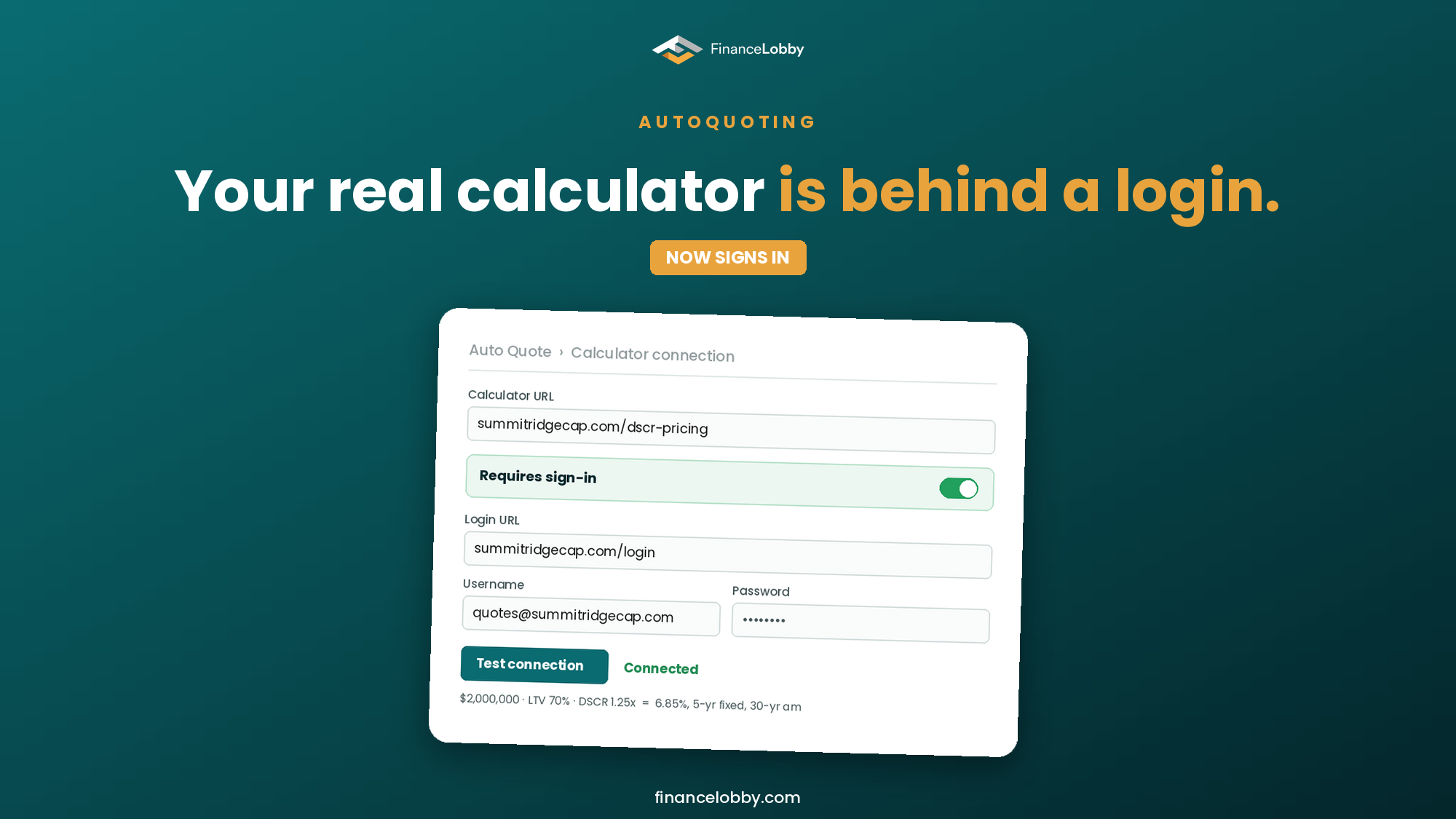
Autoquoting now signs in to your pricing calculator
Autoquoting connects your own pricing calculator to Finance Lobby and prices every matching deal through it. Until now, that calculator had to be publicly reachable. Many are not: the one a credit team really prices with often sits behind a site login, on a different page from the calculator itself. Autoquoting can now sign in first. Add the login page, a username and a password, test the connection, and it prices the way you do.
Why the public calculator was never the right one
When we launched Autoquoting in August, the most common setup question from lenders was a version of the same thing: "The calculator on our website is for lead capture. The one we actually use is in the portal."
That is a sensible way to run a lending business. A public calculator is simplified on purpose. The one behind the login carries the real tiers, the real overlays and the pricing a credit committee has signed off. If Autoquoting is going to quote in your name, it should be calling that one.
What changed
A "Requires sign-in" switch. In the Autoquoting profile form, directly under the Calculator URL field, there is a new switch. It is off by default, so the setup stays exactly as short as before for public calculators.
Three fields when it is on. Turn it on and three fields appear:
- Login URL, the page where your team signs in. This is usually not the calculator's own address.
- Username.
- Password, masked by default, with a show and hide control.
All three are required only while the switch is on.
Test connection now proves the login, not just the address. Before a profile goes live, run Test connection. It tells you which of two things is wrong when something is:
- If the credentials are rejected, you see a sign-in failure naming the login page, and the password field is flagged, so you know to fix the credentials.
- If the address cannot be reached, you see that instead, so you know to fix the URL.
When it works, you see "Connected" and a sample deal priced through your calculator, so you can check the output against what your team would quote before any broker sees a number.
A "Signed in" label on the profile. Profiles that use a login carry a padlock "Signed in" label in your profiles list, so you can tell at a glance which ones depend on credentials.
Setup got shorter too
Setting up Autoquoting used to open a separate page of four cards before the form. That page is gone. The empty state is now the choice:
- One primary action: Connect calculator.
- Underneath, the other three routes: Spreadsheet, Lending policy and Build from scratch.
Each opens the profile form directly, scoped to the route you chose. One click from empty to the form, whichever way your pricing lives today.
What did not change
Everything that makes Autoquoting safe to run in your name is the same:
- It prices through your logic. Finance Lobby sends the deal details to your calculator and pulls your answer back.
- Your profile holds your criteria: property types, loan types, loan size range, maximum LTV and minimum DSCR.
- You can test a hypothetical deal in the simulator before going live, keep several profiles, and pause or delete any of them.
For how the whole feature works end to end, read Automated DSCR Quoting: How Lenders Price Every Matching Deal Without Touching One, or see the Autoquoting feature page.
Set it up
If your calculator sits behind a login, this is the week to connect it. Open Autoquoting in Settings, choose Connect calculator, switch on Requires sign-in, and run Test connection.
New to Finance Lobby? Create a lender account, drop your lending preferences, and connect your calculator in the same session.
FAQ
Can Autoquoting use a pricing calculator that requires a login? Yes. Switch on "Requires sign-in" under the Calculator URL, then add the login page URL, a username and a password. Test connection verifies the login before the profile goes live.
Is the login page the same as the calculator URL? Often not. Many calculators sit on a different page from the one where you sign in. Autoquoting asks for both.
How do I know if the credentials are wrong or the URL is wrong? Test connection reports them separately. A rejected login shows a sign-in failure and flags the password field. An unreachable address shows a connection failure.
Do I have to use a login if my calculator is public? No. The sign-in switch is off by default. Public calculators connect exactly as before.
Which setup routes does Autoquoting support? Four: connect a calculator by URL (public or signed-in), upload a spreadsheet that already prices deals, upload a lending policy document, or build the rules from scratch.
Will Autoquoting quote deals outside my criteria? Autoquoting is designed to price only deals inside the criteria in your profile.