The deal went out. Now what?
You finish the deal memo, pick the lenders you trust for this asset, and send it. Some of them you email directly. Some go in a BCC. A few you text. Then you wait, and the only way to know where the deal stands is to remember who you wrote to and ask.
That is the gap Deal Desk closes. It is the feature that used to be called Outside Lenders, now named Deal Desk, and it is free on every plan. (FREE: confirm before publish, see Approval Notes 1.)
What Deal Desk is
(Direct answer, 56 words.) Deal Desk is where a broker sends one deal to every lender they work with, on Finance Lobby or not, and tracks each lender's response in one tab. For each lender it shows whether the email was opened, whether the deal was viewed, and whether the lender quoted or passed, with the reason. Your lenders stay yours.
One tab, every lender on the deal
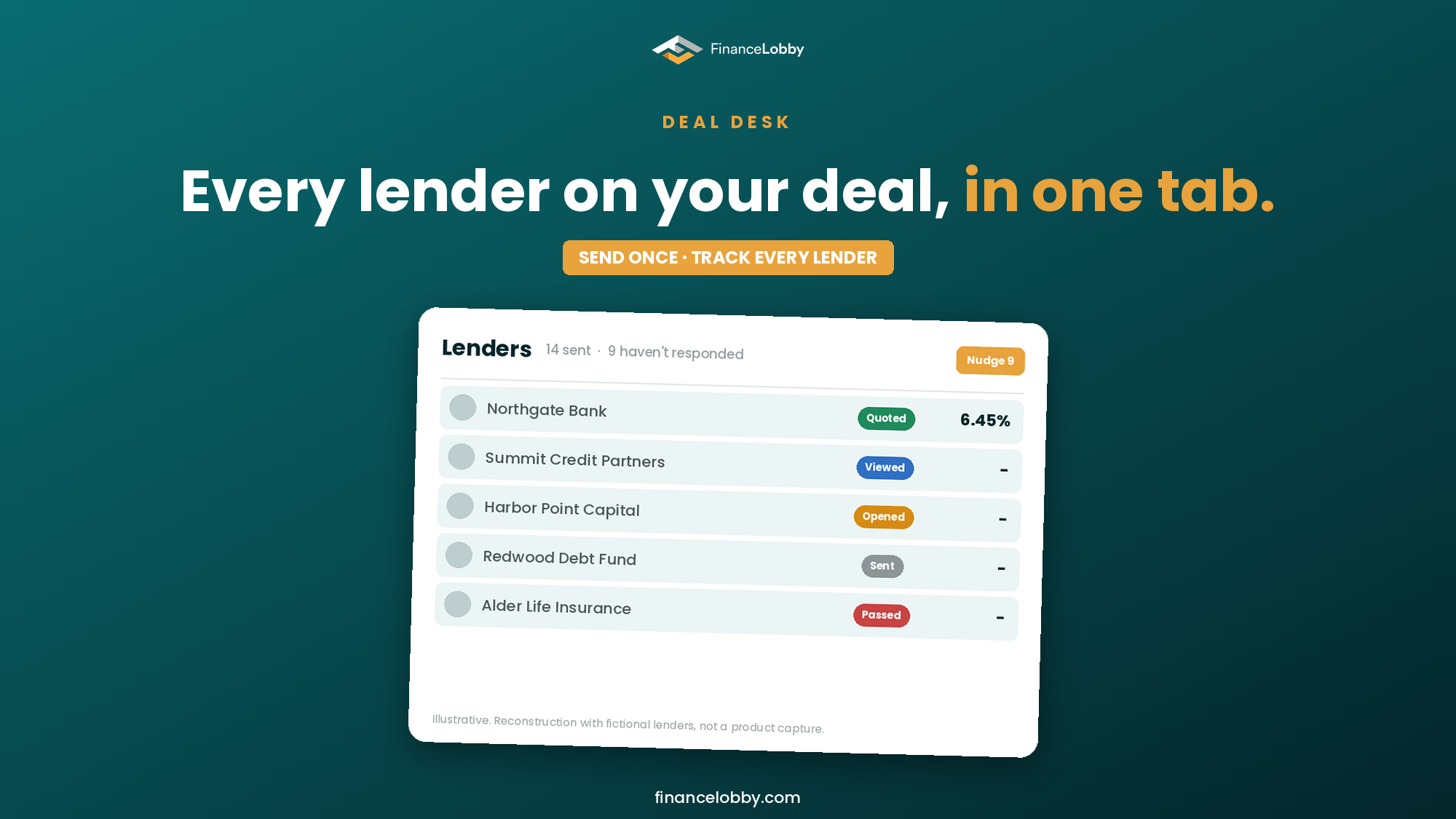
Open the Lenders tab on a deal and every lender you sent it to is a row. Each row shows how far that lender got:
| Status | What it means |
|---|---|
| Sent | The email left. |
| Opened | The lender opened the email. |
| Viewed | The lender opened the deal itself. |
| Quoted | The lender sent a quote. Click the rate to read the terms. |
| Passed | The lender declined, and says why. |
| Bounced | The address did not work. Fix it and resend. |
Filter to the lenders who have not answered, or to the ones who viewed the deal and did not quote. That is the list you actually need on day three.
Remind the quiet ones in one click
When a few lenders have not answered, you do not write to each of them. One click sends a reminder to the lenders who have not responded, with your own follow-up note, in the same thread where the mail app allows it. Lenders whose emails bounced are left out, so you are not chasing an address that never worked.
The lender does not need an account
This is the part that changes who you can send to. A lender who is not on Finance Lobby gets an email with your note first and a summary of the deal. They open the link, enter the code sent to their address, and land on the same Deal Summary an on-platform lender sees, with the documents you have shared with them.
From there they can quote, pass with a reason, or message you. At the end they give a name and a phone number, and nothing else. Their reply comes to you under your name. They do not see the other lenders on the deal, anyone else's quote, or your contact list.
The lender you forgot
Your lenders are already in your inbox. Upload a list, or connect Gmail or Outlook, and the lenders you have emailed before are ready to add to a deal. When you post a deal, the lenders whose criteria fit it rise to the top of your choices. Every lender you add is saved to your contacts automatically, and no one is notified that you added them. We never share them.
What the status does and does not tell you
Treat the statuses as a record of what happened, with one caution. Opened is a soft signal: some mail apps load images before a person reads the message, which can show an open that no one made. Viewed the deal is the status to trust. A lender who viewed and has not quoted is worth a personal note. A lender who never opened is worth a second address or a phone call.
Where Finance Lobby fits
Deal Desk sits at the end of the same flow that starts with the deal. Build the deal from a document, an email or a message (start a deal from WhatsApp), put the lender-adjusted numbers in the memo (why a lender's DSCR is lower than yours), send it from Deal Desk, then compare what comes back on the same basis (lower rate or lower fee).
Open Deal Desk from your home screen, pick the lenders on your next deal and send it.
FAQ
What is Deal Desk? Deal Desk is the Finance Lobby feature where a broker sends a deal to every lender they work with, on Finance Lobby or not, and tracks each lender's response in one tab. It replaces sending a BCC email and guessing who looked.
Is Deal Desk free? Deal Desk is available on every Finance Lobby plan. (FREE: confirm before publish. Delete this answer if the decision is not recorded.)
Can a lender quote without a Finance Lobby account? Yes. A lender opens the link, enters the code emailed to their address, views the deal and submits a quote or a pass. They are asked for a name and phone number at the end, and nothing else.
What is the difference between Opened and Viewed? Opened means the lender opened the email. Viewed means the lender opened the deal. Opened can be triggered by a mail app that preloads images, so Viewed is the more reliable signal.
Does Deal Desk share my lenders with other brokers? No. The lenders you add stay in your own contacts, and Finance Lobby does not share them. Adding a lender does not send that lender a notification.
What does Deal Desk replace? It replaces the BCC email and the spreadsheet of who you sent a deal to. The same list now shows who opened, who viewed, who quoted and who passed.